Gamma App Review 2026: Pricing, Features, and Is It Worth It?
Honest Gamma app review for 2026 — exact pricing for Free, Plus, Pro, and Ultra plans, real pros and cons, how Gamma compares to Canva and PowerPoint, and who should actually use it.
 Victor Ogonyo
Gamma is an AI-powered presentation, document, and webpage creator that has grown to 70 million users and $100M in annual recurring revenue without most people outside the startup world knowing it exists. It promises to replace PowerPoint — and for a specific type of user, it genuinely does.
This is a full Gamma app review covering everything you need to decide: exact 2026 pricing, what each plan actually gives you, honest pros and cons from real use, how it compares to Canva, Google Slides, and PowerPoint, and who it is — and isn't — right for.
What Is Gamma?
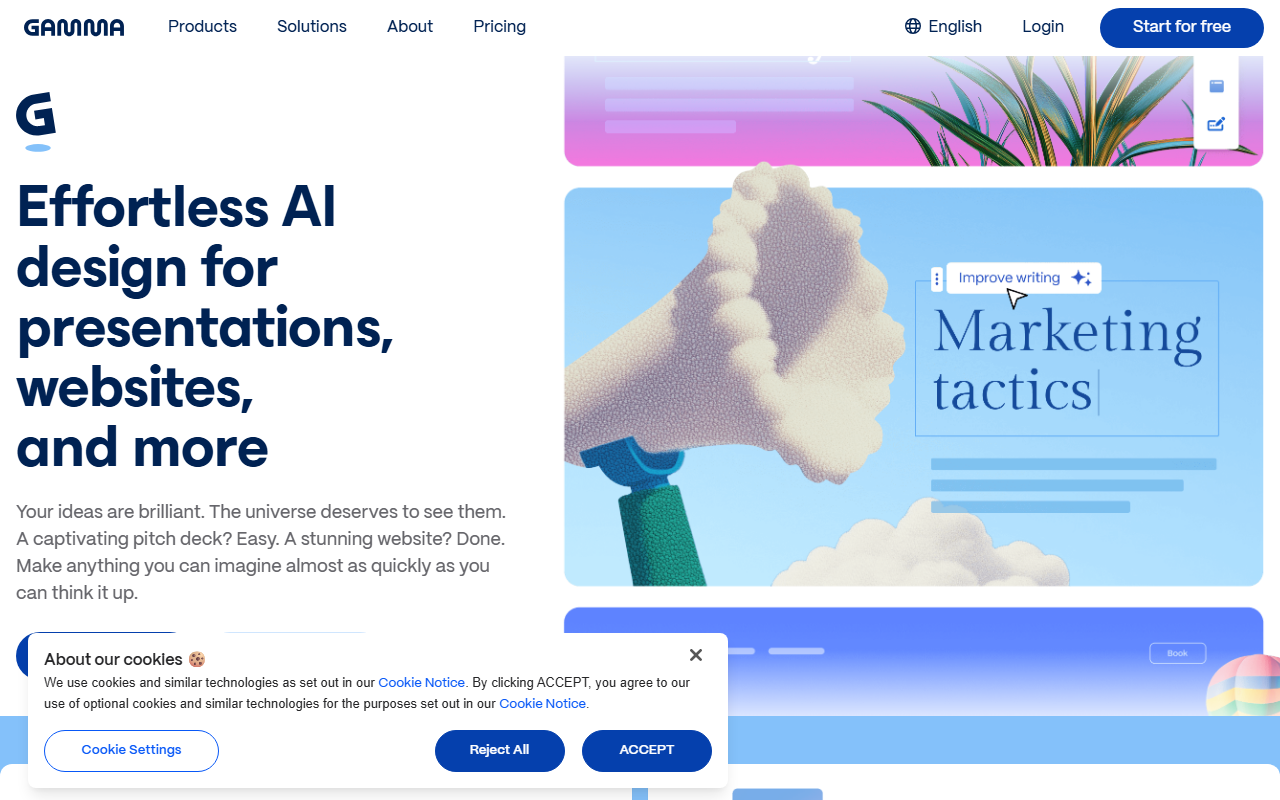
Gamma is a web-native AI creation tool that generates complete presentations, documents, and websites from a text prompt, a file upload, or pasted content — in under two minutes.
Instead of opening a blank slide and spending hours on layout, you type a topic or paste in a document, and Gamma's AI produces a full deck: structured sections, written content, visual layouts, and imagery. You then refine it.
The output format is not traditional 16:9 slides. Gamma uses a card-based, scrollable format that is optimised for web sharing and mobile viewing. Presentations become shareable links rather than file attachments — and that distinction changes how people use it.
Founded: 2020 by Grant Lee, James Fox, and Jon Noronha
Valuation: $2.1 billion (November 2025, Series B led by Andreessen Horowitz)
Users: 70 million worldwide
Paying subscribers: 600,000+
Content created: 400 million+ presentations, documents, and webpages
ARR: $100M+ (achieved profitably with a 50-person team)
Gamma App Pricing 2026
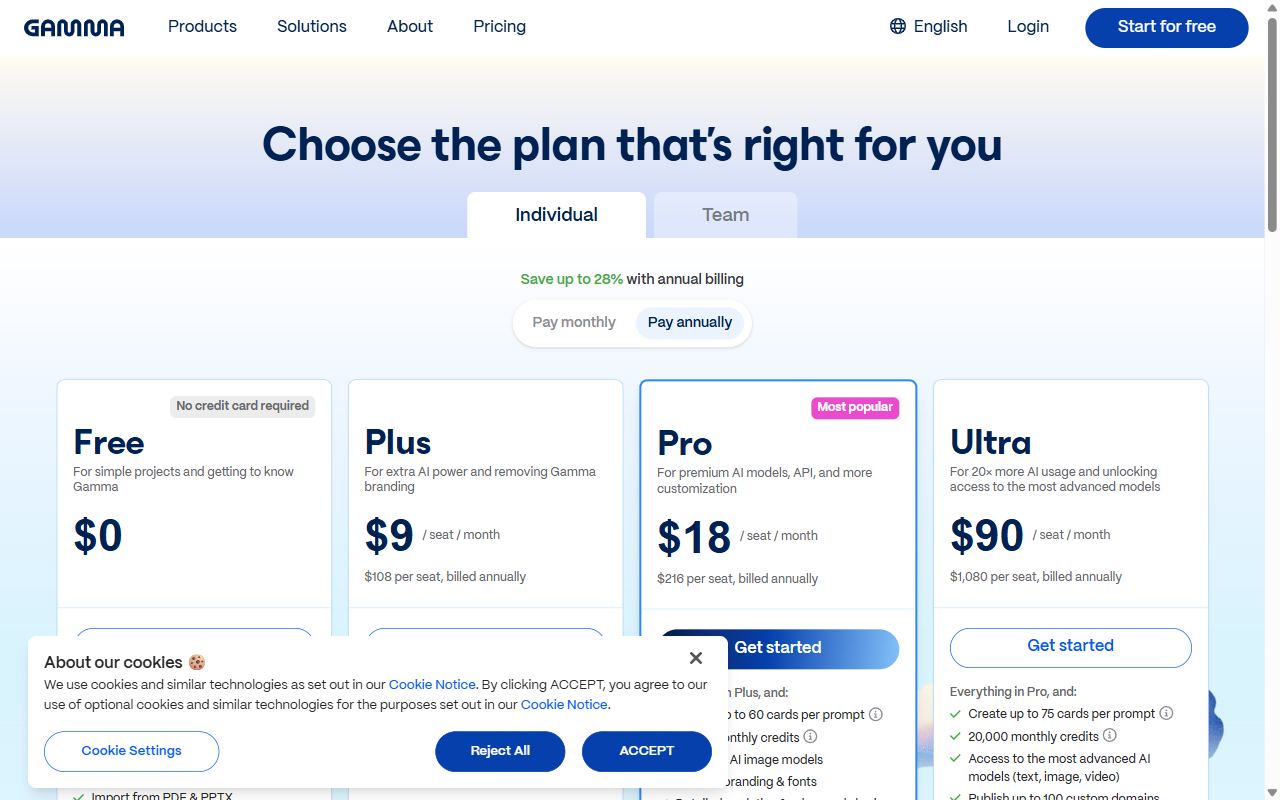
Gamma has four plans. The pricing shown is per seat on annual billing.
| Plan | Annual Price | Monthly Price | AI Credits |
|---|---|---|---|
| Free | $0 | $0 | 400 one-time |
| Plus | $8/seat/month | ~$10/seat/month | 1,000/month |
| Pro | $15/seat/month | ~$18/seat/month | 4,000/month |
| Ultra | $90/seat/month | ~$108/seat/month | 20,000/month |
Annual billing saves approximately 28% compared to monthly.
Free Plan — $0
The free plan gives you 400 AI credits as a one-time allocation — not monthly. Those credits are enough for roughly 7–10 full presentations. Once they run out, you either upgrade or use Gamma's non-AI editing features manually.
Free plan limitations:
- 400 one-time AI credits (not replenished monthly)
- "Made with Gamma" watermark on all exports (PDF, PPTX, PNG)
- Default themes only — no custom brand colors or fonts
- No co-editing or real-time collaboration
- No audience analytics
- No API access
- No password protection
The watermark is the most limiting factor for professional use. Presenting to a client, investor, or executive with "Made with Gamma" on the cover undermines the presentation before you've said a word.
Plus — $8/Month (Annual)
Plus is the entry paid tier and removes the watermark.
What Plus adds:
- Removes "Made with Gamma" branding
- 1,000 AI credits per month
- Basic brand kit (upload logo, set brand colors)
- Unlimited AI-generated presentations within credit allowance
- Priority support
Best for: Individuals who create 3–5 presentations per month and primarily need the watermark removed and more AI credits.
Pro — $15/Month (Annual)
Pro is Gamma's most popular plan and the right tier for regular professional use.
What Pro adds over Plus:
- 4,000 AI credits per month
- Premium AI models (Nano Banana Pro for superior image generation)
- Custom fonts
- Password protection for presentations
- Headers and footers
- Per-viewer analytics (see who viewed, which slides, how long)
- Up to 10 custom domains
- API access
- Google search indexing enabled for published work
The analytics feature is Gamma Pro's clearest differentiator from every competitor. You can see exactly which viewers opened your presentation, which slides they spent the most time on, and where they dropped off. For sales decks and investor pitches, this is genuinely useful intelligence.
Best for: Sales professionals, startup founders, consultants, and anyone creating presentations regularly who needs branding control, analytics, and higher-quality AI outputs.
Ultra — $90/Month (Annual)
Ultra is Gamma's top tier for power users and teams requiring maximum AI throughput.
What Ultra adds over Pro:
- 20,000 AI credits per month (5x Pro)
- Access to the most advanced AI models (text, image, video)
- Up to 75 cards per prompt (vs 60 on Pro)
- Publish to 100 custom domains
- Priority processing
Best for: Agencies creating presentations at volume, large teams, or professionals generating AI content daily who will consistently exhaust Pro's 4,000 monthly credits.
Key Features Explained
AI Generation: Prompt to Presentation in 2 Minutes
The core workflow: you give Gamma a topic, a document, or a URL. The AI structures the content into logical sections, writes the copy, selects layouts, and generates or sources imagery. A 15-slide presentation takes 90 seconds to generate.
Input options:
- Text prompt ("Create a pitch deck for a B2B SaaS product for HR teams")
- File upload (Google Docs, PDFs, Word documents, PowerPoint files)
- Paste content directly
- URL import
- Import from Notion, Figma, or Miro
What the AI does well: Converting dense documents into structured decks. If you paste a 3,000-word strategy memo, Gamma breaks it into 10–12 slides with logical hierarchy, pulls out the key points, and formats them visually. This alone saves hours of manual slide-making.
Gamma Agent (Gamma 3.0)
Introduced in September 2025 with Gamma 3.0, the Gamma Agent is a conversational AI editor. Instead of manually adjusting slides, you talk to the agent:
- "Make this more concise"
- "Restyle the whole deck in a darker theme"
- "Add a slide about our pricing after slide 4"
- "Change all the headers to be questions"
The agent executes the change across the entire presentation. For non-designers, this replaces the manual design work that previously required either skill or a contractor.
One-Click Theme Changes
You can switch the visual theme of an entire presentation with one click — background, typography, color palette — without touching individual slides. The content stays in place; only the design changes. This makes it practical to generate a first draft, then experiment with 5–6 different visual treatments before choosing one.
Sharing and Embedding
Gamma presentations are web links, not files. Benefits:
- Always up-to-date: Share the link once. Edit the presentation and the viewer's link automatically shows the latest version. No re-sending files.
- Mobile-optimised: The card-based format renders well on any screen size.
- Embeddable: Paste the embed code into any website or Notion page.
- Interactive: You can embed YouTube, Loom, Giphy, Calendly, and other content directly inside slides.
Export Options
| Format | Quality | Notes |
|---|---|---|
| Best | High fidelity to design, best for sending | |
| PowerPoint (.pptx) | Variable | Formatting frequently breaks |
| PNG | Good | Per-slide image export |
| Google Slides | Variable | Layout can shift |
The PowerPoint export problem is Gamma's most-reported complaint. When exporting .pptx, text boxes shift, fonts change, layouts break, and the result often requires significant manual fixing. If you need a clean PowerPoint file, Gamma is not the right tool. If you share via link or PDF, this is not a problem.
Per-Viewer Analytics (Pro+)
Pro plan users see an analytics dashboard per presentation showing:
- Total views and unique viewers
- Which slides each viewer spent the most time on
- Scroll depth and completion rate
- Viewer-by-viewer breakdown (if they're identified)
No other presentation tool at this price point offers this level of engagement data natively. Canva doesn't have it. Google Slides doesn't have it. PowerPoint doesn't have it. For anyone using presentations in a sales or fundraising context, knowing which slides your prospects engage with is actionable intelligence.
Gamma vs. Competitors
Gamma vs. Canva
| Feature | Gamma | Canva |
|---|---|---|
| AI generation | Full deck from prompt | Slide-by-slide AI assist |
| Time to first draft | ~2 minutes | 20–60 minutes (manual) |
| Template library | Moderate | Massive (1M+) |
| Design control | Moderate | High |
| PowerPoint export | Unreliable | Clean |
| Viewer analytics | Yes (Pro+) | No |
| Free plan | 400 one-time credits | Generous (unlimited) |
| Pricing (paid) | From $8/month | From $15/month |
Verdict: Canva wins on design control, template volume, and export quality. Gamma wins on speed, AI generation, and analytics. If you need a deck in two minutes, use Gamma. If you need pixel-perfect design control, use Canva.
Gamma vs. Google Slides
| Feature | Gamma | Google Slides |
|---|---|---|
| AI generation | Yes — full deck | No (basic AI suggestions) |
| Collaboration | Pro+ | Built-in, free |
| Offline editing | No | Yes |
| Export quality | PDF good, PPTX poor | Excellent |
| Cost | Free (limited) / $8–$90 | Free |
| Analytics | Yes (Pro+) | No |
| Ecosystem | Standalone | Deep Google Workspace |
Verdict: Google Slides is free, collaborative, and reliable for traditional presentations. Gamma is faster for first drafts. Use Gamma to generate the initial structure, then move to Google Slides if you need precise control and collaboration.
Gamma vs. PowerPoint
| Feature | Gamma | PowerPoint |
|---|---|---|
| AI generation | Full deck from prompt | Copilot (Microsoft 365 required) |
| Setup time | Zero | Installed software |
| Customisation | Moderate | Unlimited |
| Offline | No | Yes |
| Export | Link/PDF best | .pptx is the standard |
| Industry trust | Growing | Universal |
| Cost | Free–$90/month | Microsoft 365 ($10/month+) |
Verdict: PowerPoint remains the enterprise standard. Gamma is better for speed. For internal presentations, client presentations shared via link, or anyone who doesn't need PowerPoint compatibility, Gamma is genuinely faster and produces more modern-looking results.
Gamma vs. Beautiful.ai
| Feature | Gamma | Beautiful.ai |
|---|---|---|
| Generation speed | Faster | Slower |
| PowerPoint export | Unreliable | Reliable |
| Brand compliance | Basic | Strong |
| B2B/enterprise | Limited | Strong |
| Price | $8–$90/seat | $12–$40/seat |
Verdict: Beautiful.ai is better for enterprise brand compliance and clean PPTX export. Gamma is faster for generating first drafts and has better viewer analytics.
What About Tome?
Tome — Gamma's closest direct competitor in the narrative-first AI presentation space — shut down its Slides feature in April 2025 and pivoted to an AI-native CRM called Lightfield. Gamma is now the primary remaining platform in this category.
Honest Pros and Cons
What Gamma Does Really Well
Speed is genuine. A 15-slide presentation from a text prompt takes under two minutes. This is not marketing copy — it is consistently reproducible. The first draft is good enough that many users present it with minimal editing.
Document-to-deck conversion is exceptional. Paste a Word document or upload a PDF and Gamma structures it into a coherent presentation. The AI identifies main points, creates a logical flow, and formats it visually. This is where Gamma has a clear capability lead over every other tool.
Viewer analytics is unique at this price point. Knowing which slides your investors lingered on or which prospects dropped off gives you information no file attachment can.
One-click redesign is fast. Experimenting with visual styles takes seconds, not hours.
The Gamma Agent (Gamma 3.0) makes non-design-savvy users more capable. Telling the AI to "make this more formal" or "add more white space" and having it execute across 20 slides is a genuine productivity gain.
Where Gamma Falls Short
PowerPoint export is broken often. This is the most consistent complaint from users. If your workflow requires a clean .pptx handoff, Gamma will frustrate you. Use PDF instead.
AI-generated images are inconsistent. The stock image integration is reliable. AI-generated custom images sometimes look distorted, abstract, or irrelevant. The Nano Banana Pro model (Pro tier) is a significant improvement but still not production-ready for client-facing creative.
The free plan feels like a trial. 400 one-time credits is enough to evaluate Gamma, not enough to use it consistently. Most serious free tools replenish credits monthly. Gamma doesn't. This makes the free tier feel like a demo.
Layout control is limited. You cannot resize text freely to fit a specific space, reposition elements arbitrarily, or achieve precise pixel-level control. Gamma's layouts are AI-chosen and moderately adjustable. Designers will find this constraining.
No offline editing. Requires internet. For anyone presenting from a venue with unreliable Wi-Fi, this is a real risk.
Credit system lacks transparency. Users frequently report uncertainty about how many credits a generation will consume before committing to it.
Who Should Use Gamma
Gamma is the right tool if:
You're a startup founder who needs a pitch deck or investor update quickly without a designer. Gamma generates a professional-looking first draft in two minutes. Refine it, add your specific numbers, and you're done.
You're in B2B sales and send presentations regularly. The per-viewer analytics tell you which prospects actually read your deck and which slides they focused on — intelligence that changes how you follow up.
You create internal presentations frequently. Team updates, quarterly reviews, strategy decks — anything where the audience is internal and the sharing format is a link. Speed beats design perfection here.
You convert documents into decks. If you regularly take research reports, strategy memos, or meeting notes and need to present them, Gamma's document-to-deck conversion is best-in-class.
You're an educator or trainer. Course content, lesson slides, and training materials can be generated quickly. The web-native format works well for async consumption.
Skip Gamma if:
You need clean PowerPoint exports. The .pptx export is unreliable. If your output must be a pristine PowerPoint file, use Canva or Beautiful.ai.
You need pixel-perfect design control. Gamma is AI-structured. You can adjust, but you cannot fully override the layout system. Designers will want more control.
Your free plan needs to be genuinely free. 400 one-time credits is a trial, not a freemium model. If you cannot commit to a paid plan, the free tier will run out quickly.
You're presenting in environments without reliable internet. Gamma is fully web-based with no offline mode.
You're at enterprise scale needing brand governance. Large teams with strict brand standards should look at Beautiful.ai or enterprise Canva, which have stronger brand template locking and governance features.
Is Gamma Worth Paying For?
For $8/month (Plus): Yes, without hesitation if you create more than 3–4 presentations per month. The watermark removal alone is worth it for any professional context.
For $15/month (Pro): Yes, if analytics matter to your workflow. Knowing how prospects and clients engage with your presentations is genuinely valuable information. The better AI image model and higher credit limit are also meaningfully improved over Plus.
For $90/month (Ultra): Only if you are generating presentations at high volume — an agency, a large sales team, or someone who will consistently exhaust the Pro credit limit.
Frequently Asked Questions
What is Gamma app used for? Gamma is used to create presentations, documents, and web pages using AI. You give it a topic, file, or content and it generates a complete, professionally designed deck in minutes. Common uses: pitch decks, sales presentations, internal updates, training materials, and marketing documents.
Is Gamma app free? Yes — there is a free plan with 400 one-time AI credits (enough for 7–10 presentations). After those credits are used, you need a paid plan to continue using AI generation. The free plan also includes a "Made with Gamma" watermark on all exports.
How much does Gamma cost? Free ($0), Plus ($8/month annual), Pro ($15/month annual), Ultra ($90/month annual). Monthly billing costs approximately 28% more.
Does Gamma export to PowerPoint? Yes, but the export quality is inconsistent. Text boxes shift, fonts change, and layouts break frequently. PDF export is significantly more reliable. If you need a clean PowerPoint file, Gamma is not the best choice.
How does Gamma compare to Canva? Gamma generates full presentations from a prompt in 2 minutes — Canva requires manual design. Canva has more design control, a larger template library, and better PPTX export. Gamma has built-in viewer analytics that Canva lacks. For speed: Gamma wins. For design control: Canva wins.
What is Gamma's AI credit system? Each AI generation action consumes credits. A full presentation generation uses approximately 40 credits. Free users get 400 credits total (one-time). Plus gets 1,000/month. Pro gets 4,000/month. Ultra gets 20,000/month.
Is Gamma profitable? Yes — Gamma reached $100M ARR profitably with a 50-person team on $23M in initial funding, before raising its $68M Series B in November 2025 at a $2.1 billion valuation.
The Bottom Line
Gamma is the fastest way to go from idea to presentable deck. For startup founders, sales teams, consultants, and educators who create presentations frequently, the speed advantage is real and the $8–$15/month price is easy to justify.
The limitations are equally real: PowerPoint export is unreliable, design control is capped, and the free tier is more trial than freemium. If clean .pptx files are your output requirement, look elsewhere. If you share via links or PDF, Gamma is genuinely excellent.
At $2.1 billion valuation with 70 million users and $100M ARR on a 50-person team, Gamma is not a niche tool — it is a well-funded company that has found genuine product-market fit. For the right user, it replaces PowerPoint. For the wrong one, it adds a step.
Building an AI startup? List it on Startup Launch Page and reach investors and early adopters looking for exactly what you're building.
Building something great?
List your startup on Startup Launch Page -- reach real investors, founders, and early adopters.
Launch your startup →