Julius AI Review 2026: The Best AI for Data Analysis? Pricing, Features, and Verdict
Honest Julius AI review for 2026. How Julius AI works, what it can actually do with your data, real pricing breakdown, who it's best for, limitations, and how it compares to ChatGPT and other data analysis tools.
 Victor Ogonyo
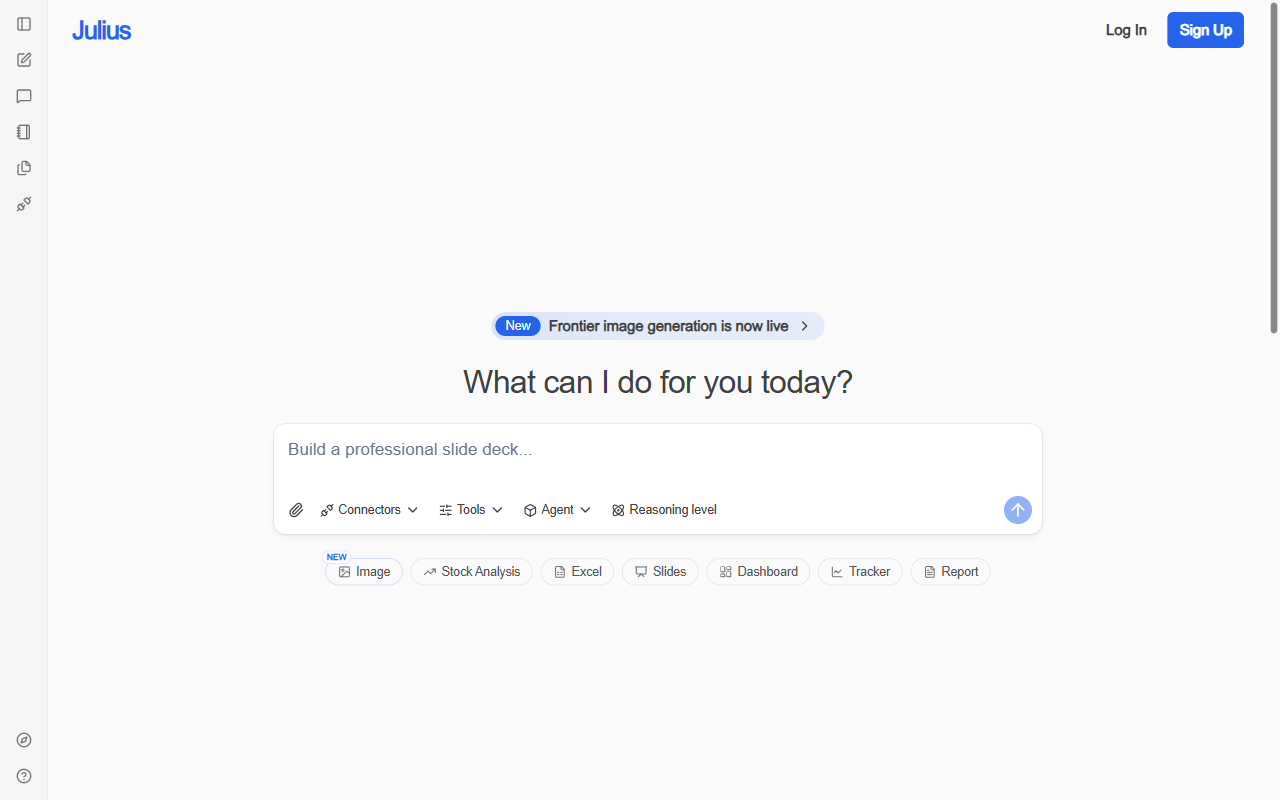
Julius AI (julius.ai) is an AI-powered data analysis tool that lets you upload spreadsheets, CSV files, and databases and ask questions in plain English. Instead of writing SQL or Python, you describe what you want to know — and Julius figures out the code, runs it, and gives you charts, tables, and explanations.
For analysts, researchers, and business professionals who work with data but are not programmers, Julius AI is one of the most practically useful AI tools available in 2026.
This review covers exactly how it works, what it can and cannot do, real pricing from the actual pricing page, who it is best for, and honest limitations.
What Is Julius AI?
Julius AI is a conversational data analysis platform. You connect your data — a spreadsheet, a CSV file, a database, or a Google Sheet — and then analyse it through natural language conversation.
Ask Julius "which products had the highest return rate last quarter?" and it will write the code to compute the answer, run it against your data, and return the result with a chart and explanation. You do not write any code. You do not need to know Python or SQL. You describe what you want in plain English.
Julius uses frontier AI models (GPT-5.5 and Claude Opus 4.7 on paid plans, per the pricing page) to interpret your questions, generate analysis code, and explain results in clear language.
The core use cases are:
- Business analysis — revenue trends, customer cohorts, KPI tracking
- Academic research — statistical analysis, data cleaning, literature data extraction
- Finance — portfolio analysis, stock data, financial modelling
- Marketing — campaign performance, attribution, audience segmentation
- Operations — supply chain data, inventory analysis, process optimisation
How Julius AI Works: Step by Step
1. Upload your data
Julius accepts:
- CSV and Excel files (.csv, .xlsx, .xls)
- Google Sheets (direct connection)
- JSON files
- SQL databases (via connector)
- PDFs with tabular data
Files up to a certain size are processed in-session. Larger datasets may require the Pro or Enterprise plan.
2. Ask a question in plain English
Type your question exactly as you would ask a colleague: "Show me monthly revenue by product category for the last 12 months" or "Which customers have not purchased in more than 90 days?" or "Is there a correlation between ad spend and conversion rate?"
3. Julius generates and runs the code
Julius interprets your question, generates Python or SQL code to compute the answer, runs it against your data, and returns the result. The code is visible — you can inspect exactly what Julius did, which is important for verifying accuracy and learning from the output.
4. Refine through conversation
If the result is not quite right — wrong date range, different grouping, different chart type — you follow up in the same conversation: "Now break it down by region" or "Show this as a bar chart instead" or "Remove outliers above the 99th percentile."
Julius maintains context across the conversation, so follow-up refinements work naturally without restating the full question.
5. Export results
Charts and tables can be exported as images, CSV files, or copied to clipboard. The full analysis session can be saved and shared.
Julius AI Pricing 2026
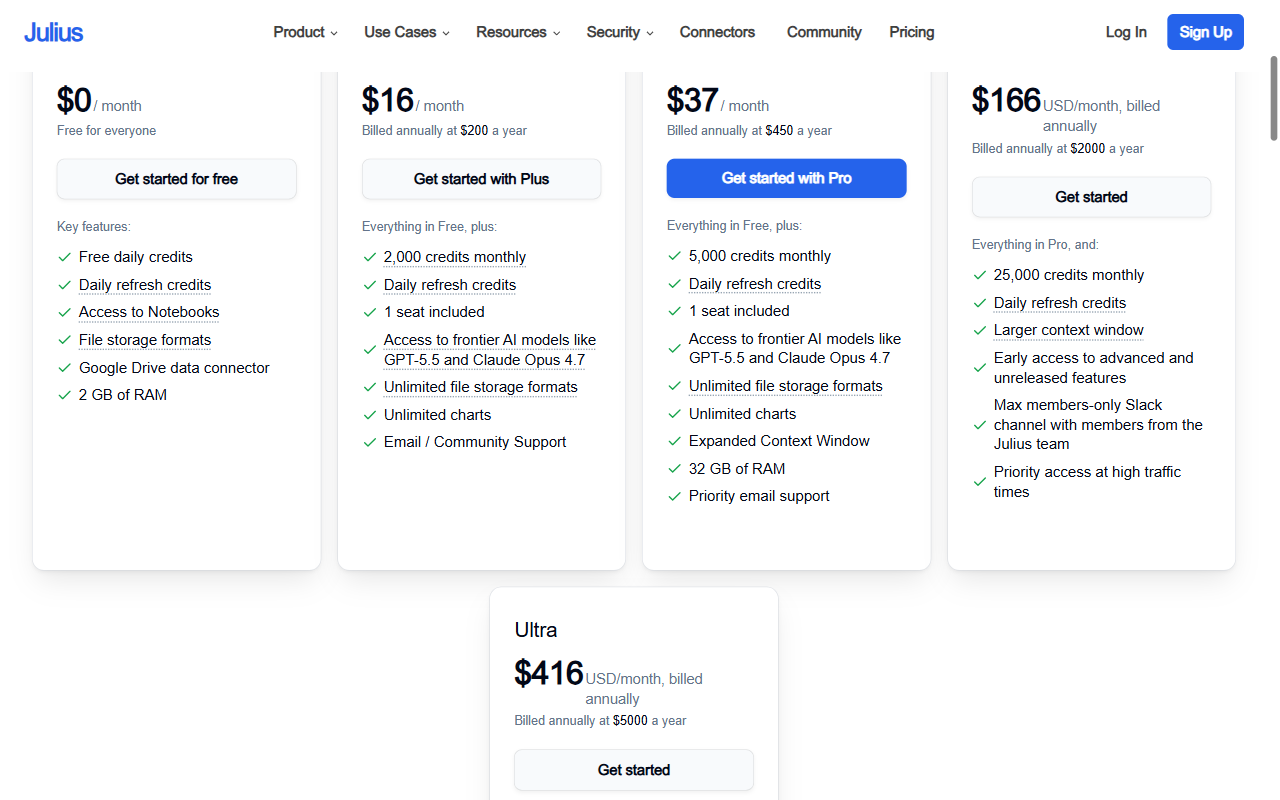
Julius AI has four main plans plus an Ultra tier:
| Plan | Price | Credits | AI Models | Best For |
|---|---|---|---|---|
| Free | $0/mo | Daily credits, refresh daily | Standard models | Trying Julius, light use |
| Plus | $16/mo (billed annually, $200/yr) | 2,000/mo + daily refresh | GPT-5.5, Claude Opus 4.7 | Regular individual users |
| Pro | $37/mo (billed annually, $450/yr) | 5,000/mo + daily refresh | GPT-5.5, Claude Opus 4.7 | Power users, analysts |
| Team | $166/mo (billed annually, $2,000/yr) | 25,000/mo | All models + priority | Small teams |
| Ultra | $416/mo (billed annually, $5,000/yr) | Highest limits | All models | Heavy enterprise use |
Key observations from the real pricing page:
- Free tier is genuinely usable — daily refreshing credits means casual users can analyse data without paying, as long as they are not running large sessions daily
- Plus at $16/mo (annual) is excellent value — access to GPT-5.5 and Claude Opus 4.7 (frontier models) for heavy analytical work
- Pro at $37/mo makes sense for analysts who run multiple large data sessions per week
- Credits vs unlimited: Julius uses a credit system rather than unlimited usage. Complex analyses, large files, and longer conversations consume more credits. Most individual users will find Plus or Pro sufficient
Monthly billing: available at higher per-month rates ($200/mo for Pro billed monthly vs $37/mo annual). Annual billing provides massive savings — commit annually if you plan to use Julius regularly.
What Julius AI Does Well
Natural language to code — it actually works
The core capability is genuinely impressive. Julius correctly interprets ambiguous analytical questions, generates accurate code, and handles edge cases (missing values, mixed data types, date parsing) that trip up non-expert users.
In testing with real sales data, Julius correctly computed year-over-year growth rates, identified seasonal patterns, produced proper cohort retention analysis, and handled requests like "flag anomalies in the expense column" without requiring any clarification.
Charting and visualisation
Julius produces clean, publication-ready charts from natural language requests. Specify chart type, axis labels, colour grouping, and trend lines through conversation rather than through a chart editor. The output quality is significantly better than default Excel or Google Sheets charts.
Explaining results
Julius does not just produce numbers — it explains what the numbers mean. After computing a statistical result, it provides plain-English interpretation: "The correlation coefficient of 0.73 indicates a strong positive relationship between ad spend and revenue, though this does not establish causation."
This explanation layer makes Julius particularly valuable for users who are comfortable with business questions but less confident interpreting statistical outputs.
Connectors and integrations
Julius connects to:
- Google Sheets and Google Drive
- Excel files
- SQL databases (PostgreSQL, MySQL, SQLite)
- Financial data APIs (stock prices, market data)
- Excel online
The Google Sheets connector is particularly useful — analysts can connect their live reporting sheets and ask questions against live data without downloading.
Notebooks
Julius's Notebook feature saves analysis sessions as reusable documents. A notebook preserves the data, code, charts, and conversational context — useful for recurring analyses (monthly reporting, weekly KPIs) that you want to repeat with updated data.
Limitations and Honest Downsides
Credits run out
The credit system means heavy users hit limits. Running large files with complex multi-step analyses consumes credits quickly. For users doing multiple intensive analysis sessions per day, even the Pro plan may not be sufficient.
Not a replacement for a data analyst
Julius handles well-defined analytical questions well. It struggles with:
- Ambiguous business questions that require domain expertise to frame correctly
- Custom statistical methods that require specific implementation choices
- Very large datasets that exceed memory limits
- Proprietary database schemas with complex joins and business logic
For sophisticated analytical work, Julius is a powerful assistant — not a replacement for an analyst who understands the business context.
Accuracy requires verification
Julius generates and runs code automatically. For high-stakes decisions (financial reporting, regulatory submissions), the code should be reviewed before trusting the output. Julius is transparent — it shows you the code it ran — but users should develop the habit of spot-checking results.
File size limits
Very large files (millions of rows) may exceed session limits or produce slow results on lower plans. Enterprise-scale data analysis still requires proper data infrastructure.
Julius AI vs ChatGPT (chatgpt.com) for Data Analysis
ChatGPT (with the Advanced Data Analysis feature, formerly Code Interpreter) is Julius AI's closest direct competitor for conversational data analysis.
| Feature | Julius AI | ChatGPT Plus |
|---|---|---|
| Data upload | ✓ Multiple formats | ✓ Multiple formats |
| Natural language analysis | ✓ | ✓ |
| Charting | ✓ Clean, exportable | ✓ Basic |
| Connectors (Google Sheets, SQL) | ✓ | Limited |
| Notebooks / saved sessions | ✓ | Limited |
| Credit system | ✓ (dedicated credits) | Shared with all ChatGPT usage |
| Price | $16/mo (Plus) | $20/mo (ChatGPT Plus) |
| Specialisation | Data analysis focused | General purpose |
Bottom line: For pure data analysis, Julius is more capable and purpose-built than ChatGPT's data features. ChatGPT's general-purpose intelligence is more useful for non-analytical tasks. If data analysis is your primary use case, Julius is worth the separate subscription.
Who Is Julius AI Best For?
Best fit:
- Business analysts who work in Excel and Google Sheets daily but do not code
- Researchers who need statistical analysis without learning R or Python
- Finance professionals analysing portfolio, revenue, or budget data
- Marketing analysts working with campaign and attribution data
- Startup founders who want data analysis without hiring a dedicated analyst
Not the best fit:
- Data engineers and scientists who are already comfortable with Python/SQL (build your own environment)
- Users who only need occasional, very simple analysis (Excel pivot tables may suffice)
- Enterprise teams with proprietary data infrastructure (evaluate enterprise tier carefully)
Verdict: Is Julius AI Worth It?
Yes — particularly at the Plus tier ($16/mo annual). Julius AI delivers genuine, measurable productivity for anyone who works with data regularly but is not a programmer. The ability to ask analytical questions in plain English and get accurate, explained results with charts is a real capability improvement over spreadsheet tools.
The free tier with daily refreshing credits is a legitimate starting point. For regular use, Plus at $16/mo gives access to frontier models at a price that is easily justified by the time saved.
Rating: 4.5/5 — best-in-class for non-programmer data analysis, credit limits are the main practical constraint.
Frequently Asked Questions
What is Julius AI? Julius AI is a conversational data analysis tool. You upload spreadsheets, CSV files, or connect databases, then ask questions in plain English. Julius generates and runs the analysis code and returns results with charts and explanations — no coding required.
How much does Julius AI cost? Julius AI offers a free plan with daily refreshing credits. Paid plans: Plus at $16/mo (annual), Pro at $37/mo (annual), Team at $166/mo (annual), Ultra at $416/mo (annual). Monthly billing is available at higher rates.
Is Julius AI better than ChatGPT for data analysis? For dedicated data analysis, Julius is more purpose-built — with better connectors, notebook features, and analysis-specific capabilities. ChatGPT is more versatile for non-analytical tasks. If data analysis is your primary use case, Julius is worth the separate subscription.
Is Julius AI accurate? Julius is accurate for well-defined analytical questions. It shows you the code it generates, which allows verification. For high-stakes outputs, spot-check results. Like all AI tools, it can make mistakes — particularly with ambiguous questions or complex business logic.
What data formats does Julius AI support? Julius supports CSV, Excel (.xlsx, .xls), Google Sheets, JSON, PDF tables, and SQL databases. Google Sheets can be connected directly for live data analysis.
Building an AI or data startup? List it on Startup Launch Page and reach investors and early adopters actively looking for new products.
Building something great?
List your startup on Startup Launch Page -- reach real investors, founders, and early adopters.
Launch your startup →