Slidesgo Review 2026: Templates, AI Features, Pricing, and Is It Worth It?
Complete Slidesgo review for 2026. How Slidesgo works, its AI presentation generator, free vs premium templates, pricing plans, and how it compares to Canva, Google Slides, and Gamma. Real screenshots included.
 Victor Ogonyo
Slidesgo (slidesgo.com) is a presentation template platform owned by Freepik that has grown into one of the most-visited slide design resources in the world. In 2026 it offers over 40,000 free and premium templates for Google Slides and PowerPoint, plus an AI-powered presentation generator that builds slides from a text prompt.
This review covers exactly how Slidesgo works, what the AI generator is like in practice, the real difference between free and premium, pricing, and who Slidesgo is genuinely best for.
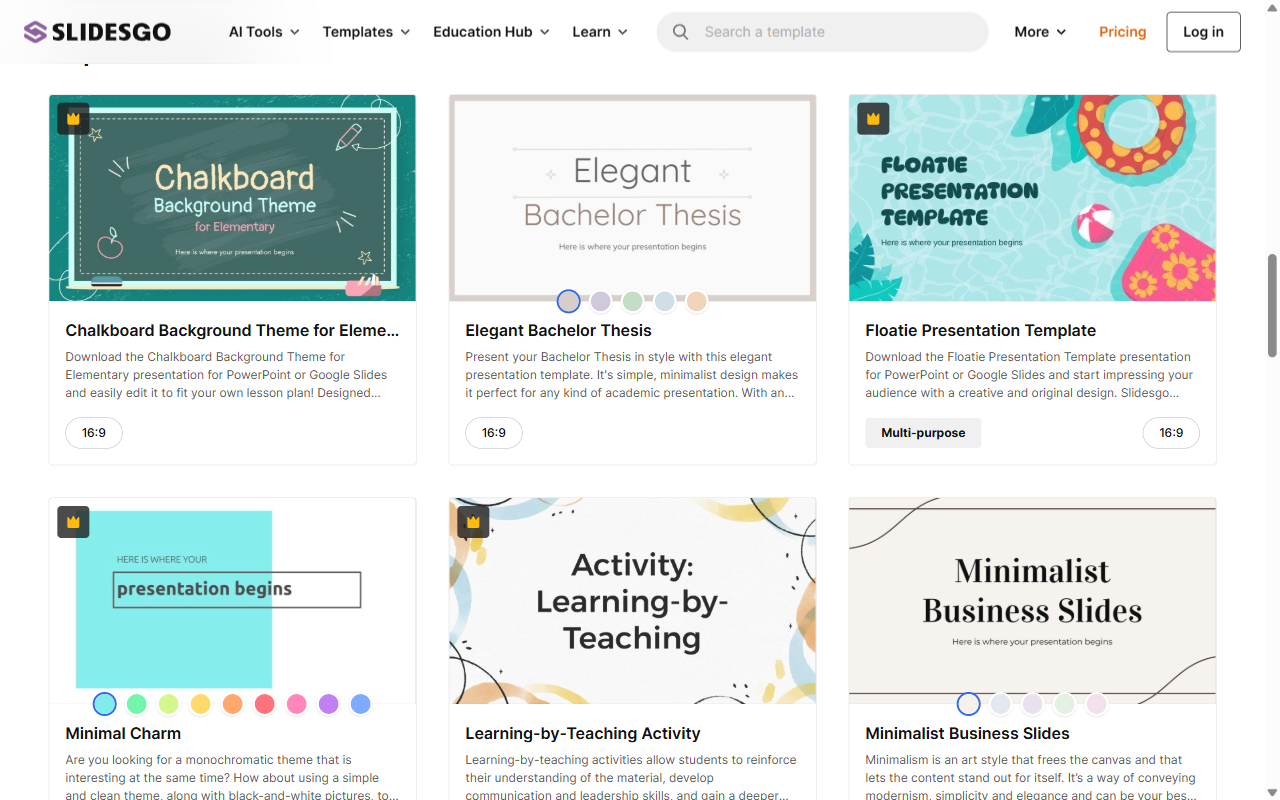
What Is Slidesgo?
Slidesgo is a presentation template library and AI slide builder. Unlike Canva or Google Slides, it is not a general design tool — it is specifically built around ready-made slide decks that you download and customise.
The platform sits at the intersection of three things:
- Template library — 40,000+ pre-designed slide decks across hundreds of categories
- AI presentation generator — builds a complete deck from a text prompt
- Online editor — edit templates directly in the browser without downloading
Slidesgo is owned by Freepik Company, which also owns Freepik (stock graphics) and Flaticon (icons), giving Slidesgo access to a vast library of design assets integrated directly into templates.
How Slidesgo Works
Template library
The core of Slidesgo is its template library. Templates are organised by:
- Purpose: business, education, marketing, medical, creative, thesis, portfolio
- Style: minimalist, illustrated, corporate, vintage, modern
- Format: 16:9 widescreen, 4:3 standard, vertical (for mobile/social)
- Colour palette
Each template is a complete slide deck — typically 20–35 slides — with placeholder text, icons, data visualisation slides, and consistent styling throughout. You download it as a Google Slides or PowerPoint file, then replace the placeholder content with your own.
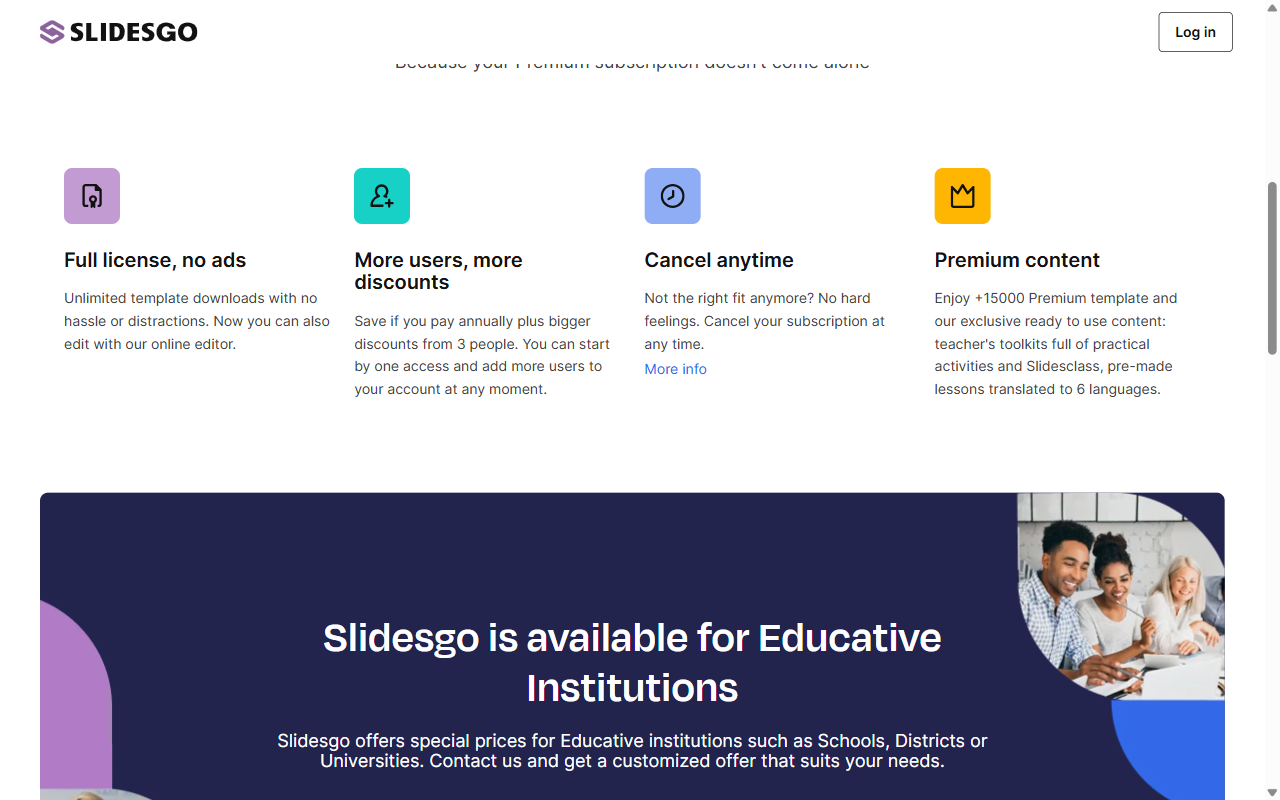
Free vs premium templates: Free templates are fully usable but come with ads on the Slidesgo website. Premium templates (Slidesgo Premium subscription) include exclusive designs, AI-generated content, and teacher-specific resources. The quality difference between free and premium is real but not dramatic — the free library is genuinely extensive.
AI presentation generator
Slidesgo's AI generator builds a complete slide deck from a text description. You type what you want — "a 10-slide pitch deck for a sustainable food delivery startup" — and the AI generates a complete deck with:
- Title and agenda slides
- Section content with placeholder text relevant to your topic
- Charts, icons, and visual elements
- A consistent colour scheme and typography
The AI-generated decks are starting points, not finished products. The content placeholders need replacing with real information, and the AI's text suggestions are generic. But the structure, layout, and visual design are genuinely useful — particularly for non-designers who struggle with blank-slide anxiety.
AI generation limits: the free tier allows a limited number of AI-generated presentations per month. Premium users get higher limits and access to additional AI features including AI text refinement and image generation within slides.
Online editor
Slidesgo's browser-based editor allows editing templates without downloading them. The editor is simpler than Canva or Google Slides but handles the basics: text editing, image swapping, colour changes, and slide reordering. For deeper customisation, exporting to Google Slides or PowerPoint and editing there is recommended.
Slidesgo Pricing 2026
| Plan | Price | What You Get |
|---|---|---|
| Free | $0 | Access to free template library, limited AI generations, ads on site |
| Premium | ~$5.99/mo (annual) | All 40,000+ templates, unlimited downloads, no ads, more AI generations, teacher resources |
| Premium (monthly) | ~$9.99/mo | Same as annual, no commitment |
| Teams | Custom | Multiple seats with team discounts |
| Education | Custom | Special pricing for schools, districts, universities |
Is premium worth it? For occasional users who find what they need in the free library — probably not. For frequent presentation creators who want access to the full library, no ads, and higher AI generation limits — yes, at ~$5.99/mo it is inexpensive.
The education plan is particularly strong value — schools and universities can get heavily discounted team pricing. Slidesgo specifically markets its teacher toolkit, which includes lesson plan templates, activity slides, and classroom resources that are unavailable in the free tier.
Template Quality: What You Actually Get
Slidesgo's templates are genuinely well-designed. The platform employs professional graphic designers and the output quality is consistently higher than the generic templates built into Google Slides or PowerPoint.
Strengths of Slidesgo templates:
- Cohesive visual identity across all slides in a deck
- Proper use of whitespace — not cramped or cluttered
- Variety in slide layout (not just bullet points)
- Data visualisation slides (charts, timelines, process flows) built in
- Icon sets and illustrations matching the deck's style
Limitations:
- Placeholder text is generic — "Lorem ipsum" or vague suggestions that require full replacement
- Heavy customisation is easier in Google Slides than in the Slidesgo editor
- Some templates lean heavily on trends that date quickly (glassmorphism, neon colours)
- Finding a specific style can require browsing many pages
Slidesgo AI: How Good Is It in Practice?
Slidesgo's AI generator is useful for creating structure quickly — it reliably produces a coherent slide deck layout from a prompt. The visual design is polished. The actual content is a placeholder.
What the AI does well:
- Generates appropriate slide structure for the topic (e.g., a startup pitch has problem/solution/market/team slides)
- Applies visual design without requiring design skill
- Suggests relevant icons and imagery categories
What the AI does not do well:
- Write actual content — all text is generic and needs complete replacement
- Understand highly specific or niche topics — generic prompts work better than niche ones
- Match the quality of purpose-built AI presentation tools like Gamma
Compared to Gamma: Gamma's AI writes actual slide content, not just placeholder text. A Gamma presentation from a prompt is closer to a usable first draft. A Slidesgo AI presentation from the same prompt requires more editing work. However, Slidesgo's templates are more conventionally polished for corporate and educational contexts — Gamma's style is more modern and web-native.
Slidesgo vs Competitors
| Tool | Template Library | AI Generator | Free Tier | Best For |
|---|---|---|---|---|
| Slidesgo | 40,000+ templates | ✓ (basic) | ✓ generous | Template-based presentations |
| Canva (canva.com) | Thousands of templates | ✓ | ✓ | General design + presentations |
| Gamma (gamma.app) | Fewer templates | ✓✓ (writes content) | ✓ | AI-first modern presentations |
| Google Slides | Limited | Limited (Gemini) | ✓ fully free | Collaboration + simplicity |
| Beautiful.ai | Smart templates | Limited | ✗ | Smart layout presentations |
| PowerPoint | Large library | ✓ (Copilot) | ✗ (Office 365) | Enterprise standard |
Choose Slidesgo if: you want a large library of polished templates, primarily create educational or business presentations, and want to export to Google Slides or PowerPoint for editing.
Choose Gamma if: you want AI to write the content as well as design the slides, you prefer a modern web-native style, and you are creating internal documents, project updates, or startup pitches.
Choose Canva if: you want a full design suite beyond presentations, including social media graphics, documents, and video.
Who Is Slidesgo Best For?
Teachers and educators — Slidesgo's educational template library is genuinely extensive and well-suited to classroom use. Lesson plan templates, activity slides, and subject-specific decks (science, history, language) are a strong differentiator. The education pricing makes it affordable for schools.
Students — thesis templates, academic presentation formats, and research poster templates are popular with university students. The free tier is sufficient for most student needs.
Business professionals — the business template library covers pitch decks, annual reports, project updates, and marketing presentations. Quality is high, though Canva and Gamma offer more modern AI-powered alternatives for corporate use.
Marketers and agencies — useful for client-facing presentations and proposals. The template variety reduces the time spent on slide design from scratch.
Honest Downsides
1. The editor is limited. Slidesgo's browser editor is less capable than Canva or Google Slides. Complex customisation is awkward and most users end up working in Google Slides after downloading.
2. AI content is shallow. The AI generator produces slide structures, not slide content. Every text element needs replacing. For a truly AI-powered presentation, Gamma or ChatGPT Plus's presentation tools are more useful.
3. Free tier has ads. Browsing with the free plan means persistent ads on the Slidesgo website — not inside downloaded files, but the browsing experience is noticeably ad-heavy.
4. Template overload. 40,000+ templates sounds impressive but finding the right one requires significant browsing. The search and filter tools help but are not as intuitive as Canva's.
5. Downloaded files need editing. Unlike Canva's web-native approach, Slidesgo is fundamentally a download-and-edit workflow. Users who prefer staying in the browser may find this less convenient.
Verdict: Is Slidesgo Worth It?
For the free tier: absolutely yes. Slidesgo's free template library is one of the most generous in the presentation space. If you need a well-designed slide deck structure to customise, the free tier delivers significant value.
For premium: depends on usage. At ~$5.99/mo annually, premium is inexpensive. If you create presentations frequently and want access to the full library and education resources, it is worth it. Occasional users will not exhaust the free library.
For AI presentations specifically: Slidesgo's AI is useful but not best-in-class. If AI content generation is your primary goal, Gamma is a better choice.
Rating: 4/5 — exceptional template library, limited AI depth, best value in the free tier.
Frequently Asked Questions
Is Slidesgo free? Yes — Slidesgo has a generous free tier with thousands of downloadable templates for Google Slides and PowerPoint. The free tier includes ads and limited AI generations. Premium plans start at ~$5.99/mo (annual billing).
Is Slidesgo safe? Yes. Slidesgo is owned by Freepik Company, a legitimate European design platform. Accounts require email registration. No unusual data collection practices have been reported.
What is Slidesgo used for? Slidesgo is used to find and download pre-designed presentation templates for Google Slides and PowerPoint. It is popular with teachers, students, and business professionals who want polished slide decks without starting from scratch.
Is Slidesgo better than Canva for presentations? Slidesgo has a larger presentation-specific template library. Canva is a more complete design tool with better editing capabilities, brand kit management, and social media features. For pure presentation templates, Slidesgo is competitive. For overall design versatility, Canva wins.
How does Slidesgo AI work? You type a description of the presentation you want and Slidesgo generates a complete slide deck with layout, visual design, and placeholder content. The AI handles structure and design but not real content — all text needs replacing with your actual information.
Building a startup? List it on Startup Launch Page and get discovered by investors and early adopters looking for new products.
Building something great?
List your startup on Startup Launch Page -- reach real investors, founders, and early adopters.
Launch your startup →